Nextcloud Passwords
on your Windows desktop.
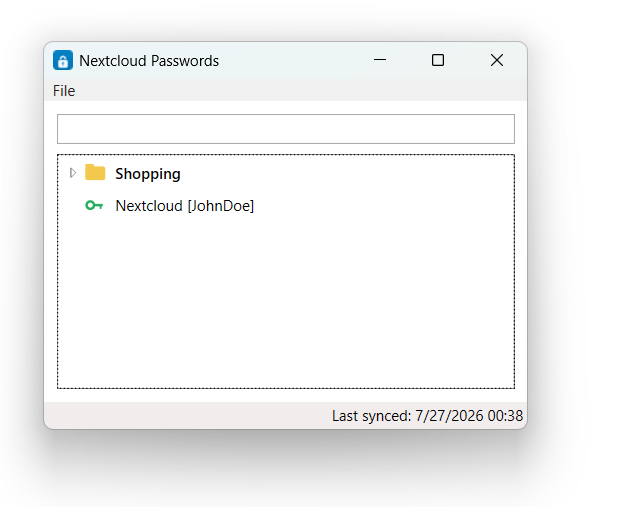
NcPasswords is a Windows app for Passwords, the password manager you can install on your Nextcloud. Sign in once, and your saved logins are always a click away: search for an entry, copy its password, and get on with your day, without opening Nextcloud in the browser.
Your data stays on your PC, encrypted.
Never sees your Nextcloud password
You sign in on your Nextcloud's own login page in the browser, and two-factor authentication works as usual. NcPasswords only receives an app password, which you can revoke at any time under Settings → Security in Nextcloud. Signing out of NcPasswords revokes it automatically.
Encrypted on disk
The app password and the local copy of your passwords are encrypted with Windows' built-in protection (DPAPI), so only your Windows account on this PC can read them. For extra safety, set a local password when you sign in: NcPasswords then asks for it at every start, and other programs running under your account can't read the data without it.
Works offline
NcPasswords keeps an encrypted copy of your passwords, so you can still look things up without an internet connection. The copy is updated every time you open the app.
Connects only to your server
No analytics, no tracking, no servers of ours in between. The app only talks to the Nextcloud address you enter.
Simple and quick to use.
NcPasswords does one job: getting you to the right password quickly. It shows the passwords you keep in Nextcloud; adding and editing them still happens in Nextcloud itself.
- Folders and entries in one list Your Nextcloud folders and entries appear together in a single tree, much like in Password Safe. Open the folders you need and ignore the rest.
- A tidy list Each entry shows just its name and username. The address, notes, tags and custom fields are in the details view.
- Copy in one step Double-click an entry to copy its password, or press Ctrl+C to copy the username. The clipboard is cleared again after 30 seconds.
- Search as you type Type a few letters to filter by name, username, address or notes. Only folders with matching entries stay visible.
- Waits in the tray Closing the window keeps NcPasswords running in the system tray, ready for the next password. Choose Exit from the tray icon to close it completely.
Set up in a minute.
Download
Get the installer below. No account or registration needed.
Install
It installs for your Windows user only, so you don't need administrator rights.
Sign in
Enter your Nextcloud address and approve access in your browser, on your Nextcloud's own login page. NcPasswords never sees your Nextcloud password, and two-factor authentication works as usual. Accounts with client-side encryption aren't supported.